
A text function to format your strings
This post is an introduction to Text.PadStart.
With this text function, you can fill a cell so that it reaches a number of characters.
Here, we create a custom column and add “0” – our custom character – to the initial string so that is reaches a total length of 10 characters:
#"Added Custom" = Table.AddColumn ( Demo_Table, "Custom",
each Text.PadStart ( [BrandName], 10 , "0")
)
If you use Text.PadStart without custom character, the function add spaces to the initial string.
This code adds as many leading spaces as needed so the cell becomes 10 characters long:
#"Added Custom" = Table.AddColumn ( Demo_Table, "Custom",
each Text.PadStart ( [BrandName], 10
)
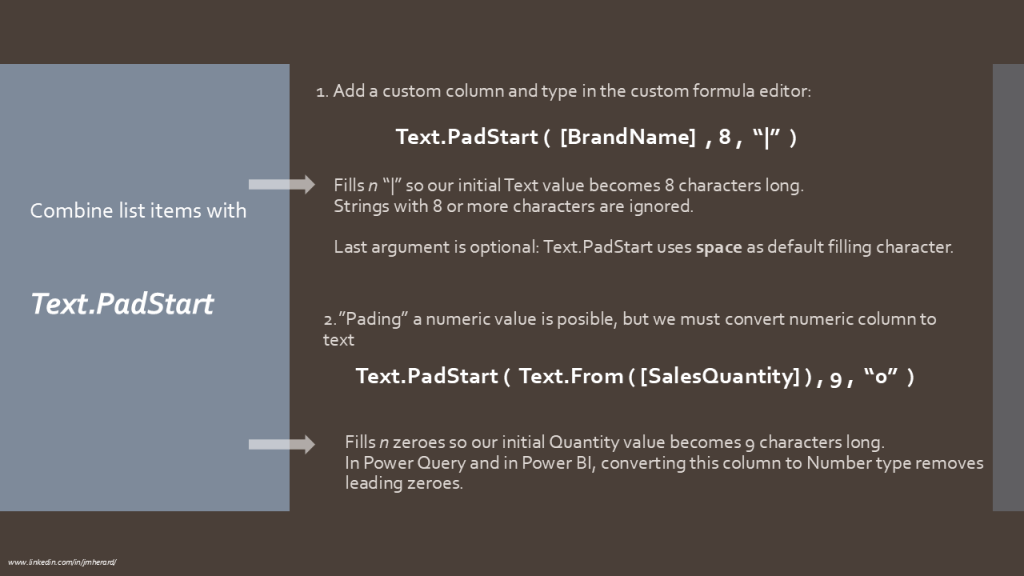
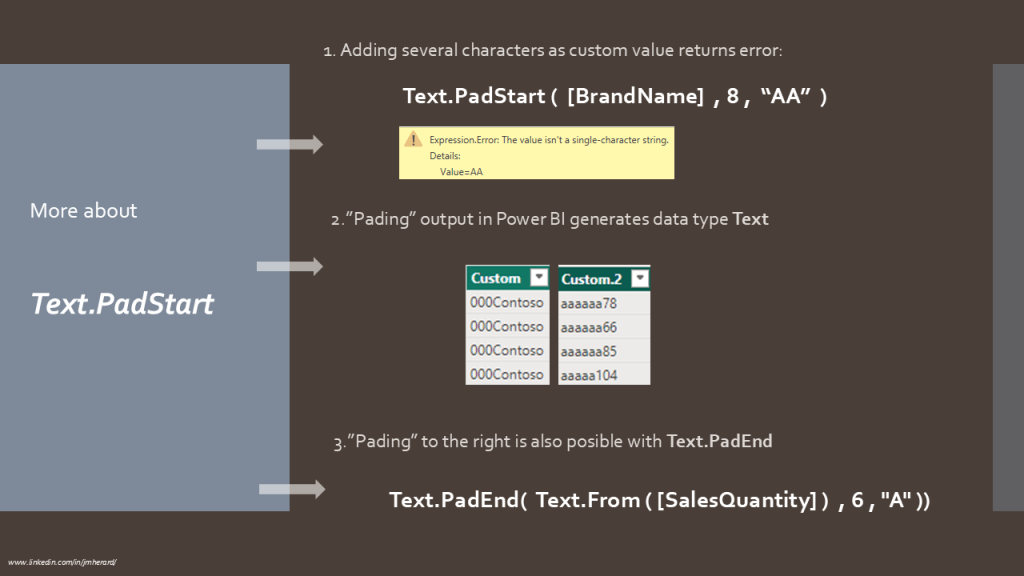
You can find supplementary information in the slides below:
- “Padding” a numeric value
- Text.PadEnd
- Text.PadStart output

Let’s wrap up this super short blog with text functions official documentation and a BI2020 blog related with text functions.
Enjoy!
 BI2020.blog
Leave a comment